

WooCommerce theme migration
Modernize the storefront in stages instead of changing every commerce template at once.
Route a new theme to a ready commerce area first, review it privately, and leave cart, checkout, and other unmatched requests on the active theme until their dependencies are ready.
Active-theme fallback
Review real product data
Use existing commerce analytics
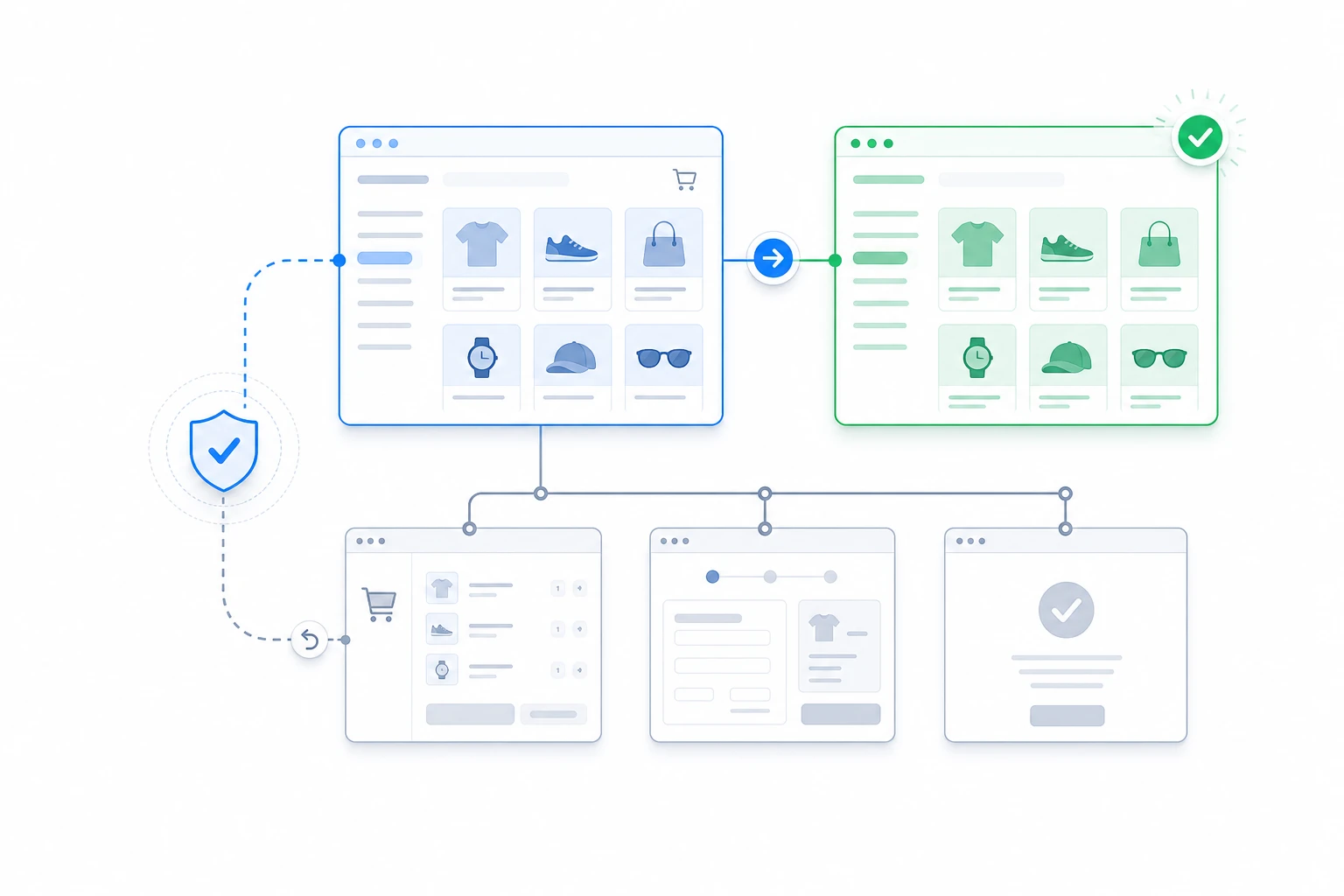
A storefront redesign should not make checkout the first test.
All-at-once storefront switch
- Products, categories, cart, and checkout change together
- Theme issues can interrupt active shopping sessions
- Conversion changes have too many possible causes
- Rollback affects the entire storefront
ThemeRouter storefront rollout
- Product discovery can move before transaction routes
- Unmatched cart and checkout requests use the active theme
- Your existing analytics remain the source for commerce metrics
- Pause the affected assignment to return it to fallback
Storefront rollout plan
Move from discovery to transaction in measured phases.
Each phase increases business risk only after the previous experience has produced healthy evidence.
1
Start with product pages
Validate product data, media, variations, reviews, and merchandising with the new theme.
2
Expand product discovery
Add categories, search, and archives after product-page behavior is stable.
3
Move transaction routes last
Route cart and checkout only after the complete redesigned purchase path is validated.
Risk-based routing
Keep revenue-critical routes stable until the end.
The customer can experience the redesigned storefront before the transaction path changes.
/product/*New Shop Theme
Phase 1
/product-category/*New Shop Theme
Phase 2
/cart/ and /checkout/Current Theme
Phase 3
What to monitor before expanding
Conversion behavior
Product views, add-to-cart rate, and checkout starts remain healthy for routed traffic.
Storefront performance
Product templates, filters, media, and search stay responsive under production load.
Order reliability
Cart persistence, checkout integrations, and account flows pass before transaction routes move.
WooCommerce migration questions
Yes. Product, category, cart, and checkout routes can move in separate phases.
No. Both themes use the same WooCommerce data and WordPress installation.
Disable that route to return it to the current theme while you investigate, without changing the rest of the storefront.